作者: Voltara

  • Modular UPS vs. Monolithic UPS: Which One Fits Your Project?

    Choosing between a Modular UPS and a Monolithic UPS is one of those decisions people tend to leave until late in the project. Yet the choice shapes how much capacity you can add later, how easy the unit is to service, and what the system costs over its working life. For anyone planning power protection in a data center, a plant, or a commercial building, it is worth settling early.

    Both designs keep sensitive equipment running when the mains fail. They just get there in very different ways. This article lays out how each one works, where it shines, and where it lets you down.

    1. What a Modular UPS Is

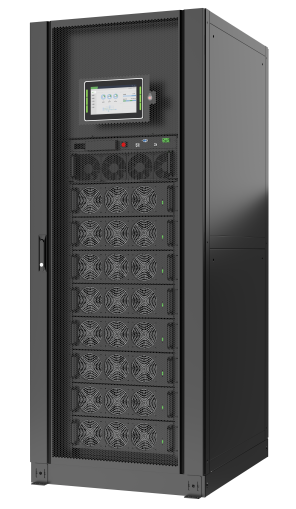
    A Modular UPS spreads its power-handling work across several independent modules living in one cabinet. Each module carries its own rectifier, inverter, and control circuitry, so no single unit does all the heavy lifting. Capacity grows by adding modules rather than by buying a bigger box.

    What Sits Inside

    A typical modular system is put together from a few standard building blocks:

    • Power modules: independent units that convert and deliver power.
    • Control module: coordinates the modules and manages their communication.
    • Static bypass module: offers an alternate path when the inverter cannot feed the load.
    • Battery system: stores energy for backup operation.
    • Cabinet or frame: houses and interconnects the modules.

    Figure 1: A modular UPS cabinet with multiple power modules

    Why People Choose It

    The appeal is mostly flexibility. You buy only the capacity you need now and bolt on more later, often without touching the rest of the system.

    • Scalability: add power modules as demand rises.
    • Redundancy: extra modules enable N+1 or other configurations.
    • Maintenance: hot-swappable modules can be replaced without killing the load.
    • Power density: modular cabinets pack more capacity into a smaller footprint.
    • Capacity control: match power to a shifting electrical load.

    Where It Costs You

    The flexibility is not free. Modular gear tends to carry a higher price per kVA, and it takes more configuration to run well.

    • Higher unit cost compared with traditional designs.
    • More complex control and monitoring requirements.
    • Replacement modules must match the installed platform.
    • Cabinet space and busbar limits can cap future expansion.

    2. What a Monolithic UPS Is

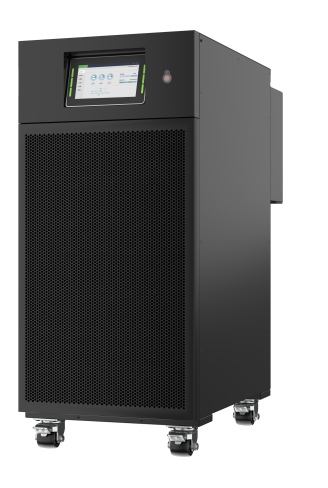
    A Monolithic UPS, often called a traditional or standalone unit, is built around one integrated power-conversion assembly. The rectifier and inverter sit together in a single main unit rather than being split across modules. You will find them in sizes from small office units to large industrial systems.

    How It Runs

    The unit works through a centralized double-conversion process:

    • Rectification: incoming AC becomes DC.
    • DC bus management: DC feeds the inverter and keeps the battery charged.
    • Inversion: the inverter turns DC into stable AC.
    • Power delivery: regulated AC reaches the connected equipment.
    • Backup: on a utility failure, the battery drives the inverter.

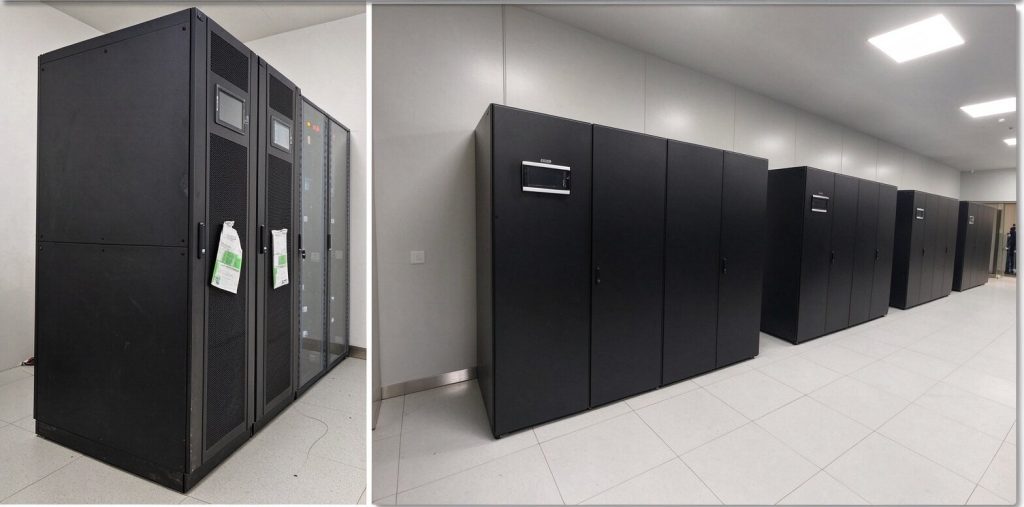
    Figure 2: A monolithic UPS with a single integrated conversion unit

    Why People Choose It

    The virtues are simplicity and a friendly price tag. With one core assembly, the architecture is easier to size, install, and operate.

    • Lower initial cost for well-defined power requirements.
    • Straightforward architecture and operation.
    • Mature, widely deployed technology.
    • Broad capacity options across product lines.
    • Familiar maintenance routines for most technicians.

    Where It Costs You

    The trade-off shows up when you outgrow it. Scaling a monolithic unit usually means buying another complete UPS, and major failures are harder to work around.

    • Limited scalability: growth calls for another full unit.
    • Heavier service procedures for major component failures.
    • Single-unit dependency: a failure can drop the whole protected load.
    • Replacing an undersized unit can mean a large fresh investment.

    3. Modular vs. Monolithic: The Main Differences

    Both architectures deliver reliable backup power, but they diverge on cost, flexibility, and long-term upkeep. The table below pulls the key contrasts together.

    ComparisonModular UPSMonolithic UPS
    System architectureMultiple independent power modulesCentralized power conversion unit
    ScalabilityFlexible, add modulesUsually needs additional UPS units
    Initial investmentGenerally higher per kVAOften lower per kVA
    RedundancySupports flexible N+1 setupsDepends on system configuration
    MaintenanceHot-swappable in supported designsMay need more extensive servicing
    Capacity expansionRelatively convenientMore complex
    Space utilizationOften higher power densityDepends on unit design
    System managementMore sophisticatedRelatively straightforward
    Best applicationGrowing data centers and critical facilitiesStable industrial and commercial projects
       

    Table 1: Modular UPS vs. Monolithic UPS at a glance.

    Which One Gives You Better Reliability?

    Reliability usually tops the list of concerns, and here modular gear has a built-in edge. You can reach N+1 redundancy by adding one spare power module beyond what the load needs.

    Say a facility needs 400 kW and runs 100 kW modules. Five modules give 400 kW of usable capacity with one held in reserve. If a module fails, the remaining four keep the load alive, assuming the system is configured and sized correctly.

    Monolithic units can also run in parallel for redundancy, but that means stringing together several complete UPS units. Modular architecture tends to make scalable redundancy simpler to put together.

    4. The Cost Picture

    Purchase price is only part of the story. The real question is total cost of ownership, which covers energy, maintenance, expansion, and eventual replacement.

    What You Pay Up Front

    For a fixed, well-defined load, a monolithic unit usually wins on first cost. A modular system often asks for more money at the start because of its architecture, controls, and specialty modules. In return, you can buy only the capacity you need today and grow it later.

    What It Costs Over Time

    Long-run costs depend on a handful of factors rather than the sticker price:

    • Energy efficiency at the load you actually run.
    • Maintenance labor, spares, and service procedures.
    • Cooling demand created by electrical losses.
    • The cost of adding capacity as the business changes.
    • Downtime risk and its financial impact.

    A Growing Data Center Example

    Picture a data center that starts at 200 kW and expects to reach 400 kW. A modular UPS can be built to 200 kW and expanded module by module as demand climbs.

    A monolithic system may force you to buy big from the start, or to add complete extra units later. When future demand is uncertain, modular architecture avoids paying for capacity you do not use yet.

    Figure 3: Modular UPS growth in a data center environment

    5. Which UPS Fits Which Application?

    There is no universal winner. The right call depends on project size, power needs, available space, and where the business is headed.

    Choose Modular When…

    Modular gear suits facilities that need flexible capacity and high availability. It tends to fit well in:

    • Data centers with growing server capacity and shifting IT loads.
    • Cloud computing facilities expanding their compute resources.
    • Telecom sites that need redundancy for critical gear.
    • Large commercial buildings with changing electrical loads.
    • Financial institutions protecting core IT and transaction systems.

    Choose Monolithic When…

    Monolithic units are a solid fit when the load is stable and clearly defined. They work well for:

    • Manufacturing plants guarding production equipment and controls.
    • Small and medium businesses backing up office IT.
    • Commercial buildings running elevators, security, and essential gear.
    • Industrial plants protecting machinery and process control.
    • Infrastructure projects with fixed, predictable loads.

    Figure 4: A monolithic UPS for stable industrial loads

    6. Five Factors to Weigh Before You Buy

    Before committing, project owners and electrical engineers should walk through these points. They often decide the issue faster than a spec sheet does.

    1. Current and Future Power

    Total up the connected load and estimate demand over the next three to five years. If real growth is likely, modular architecture gives you room to move.

    2. Redundancy Requirements

    Decide whether you need N+1, N+2, or something else. Remember that redundancy covers more than modules, including bypass, controls, batteries, and distribution paths.

    3. Installation Space

    Check footprint, ventilation, clearance for maintenance, and cable access. Modular units often carry more power per square meter, but exact needs vary by manufacturer and setup.

    4. Maintenance and Support

    Consider who can service the unit and how fast spares arrive. For continuous operation, hot-swappable modules cut downtime when the design supports them.

    5. Total Cost of Ownership

    Compare the purchase price against long-term operating and maintenance costs. The cheapest UPS on paper is not always the most economical over its service life.

    7. Conclusion: Which Is Better for Your Project?

    Both architectures protect the load reliably, but they answer different questions. Modular UPS is generally the better fit for growing data centers, flexible expansion, and high-availability demands. Monolithic UPS suits stable loads, fixed requirements, and projects where first cost matters most.

    The best system is not the one with the biggest nameplate. It is the one that balances reliability, scalability, efficiency, and cost for your specific situation. Compare efficiency curves, redundancy options, maintenance demands, and manufacturer support before you sign.
    Critical Power | LANQEVA Global

  • Jiangxi Provincial Computing Center

    Jiangxi Provincial Computing Center

    Overview

    Project: Computing Infrastructure

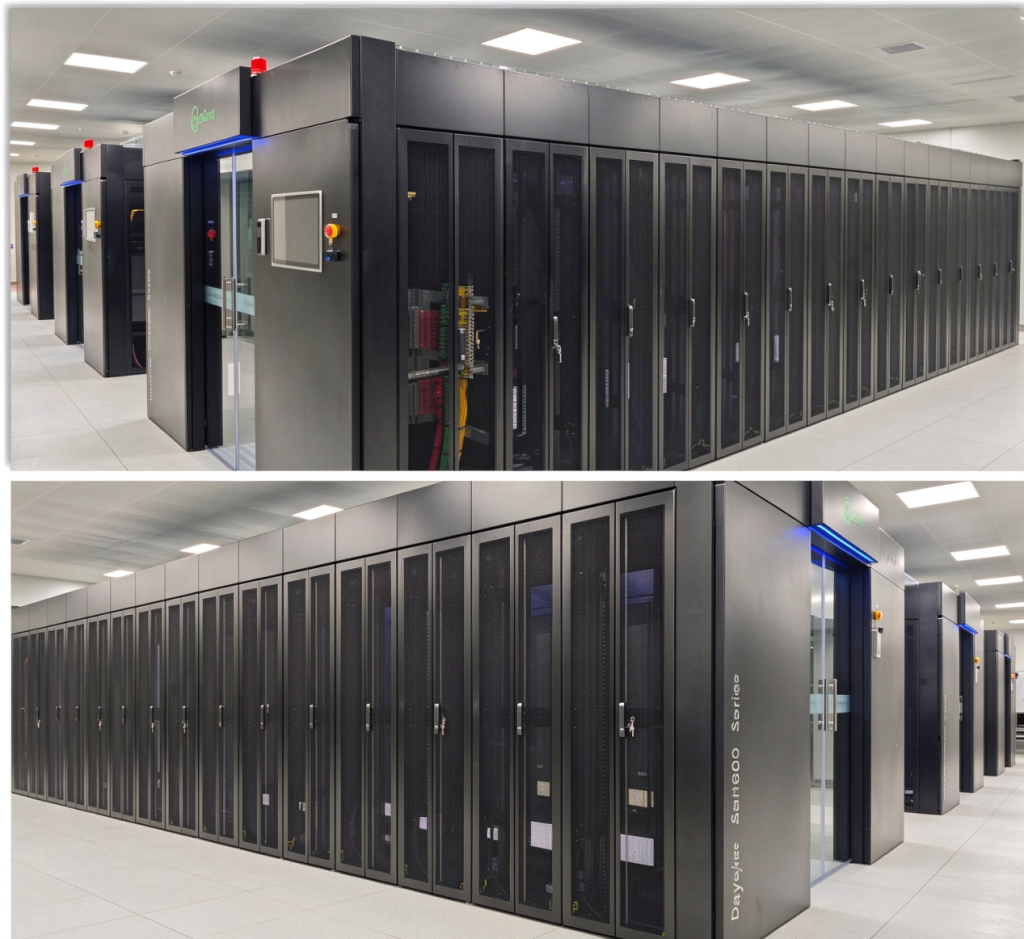
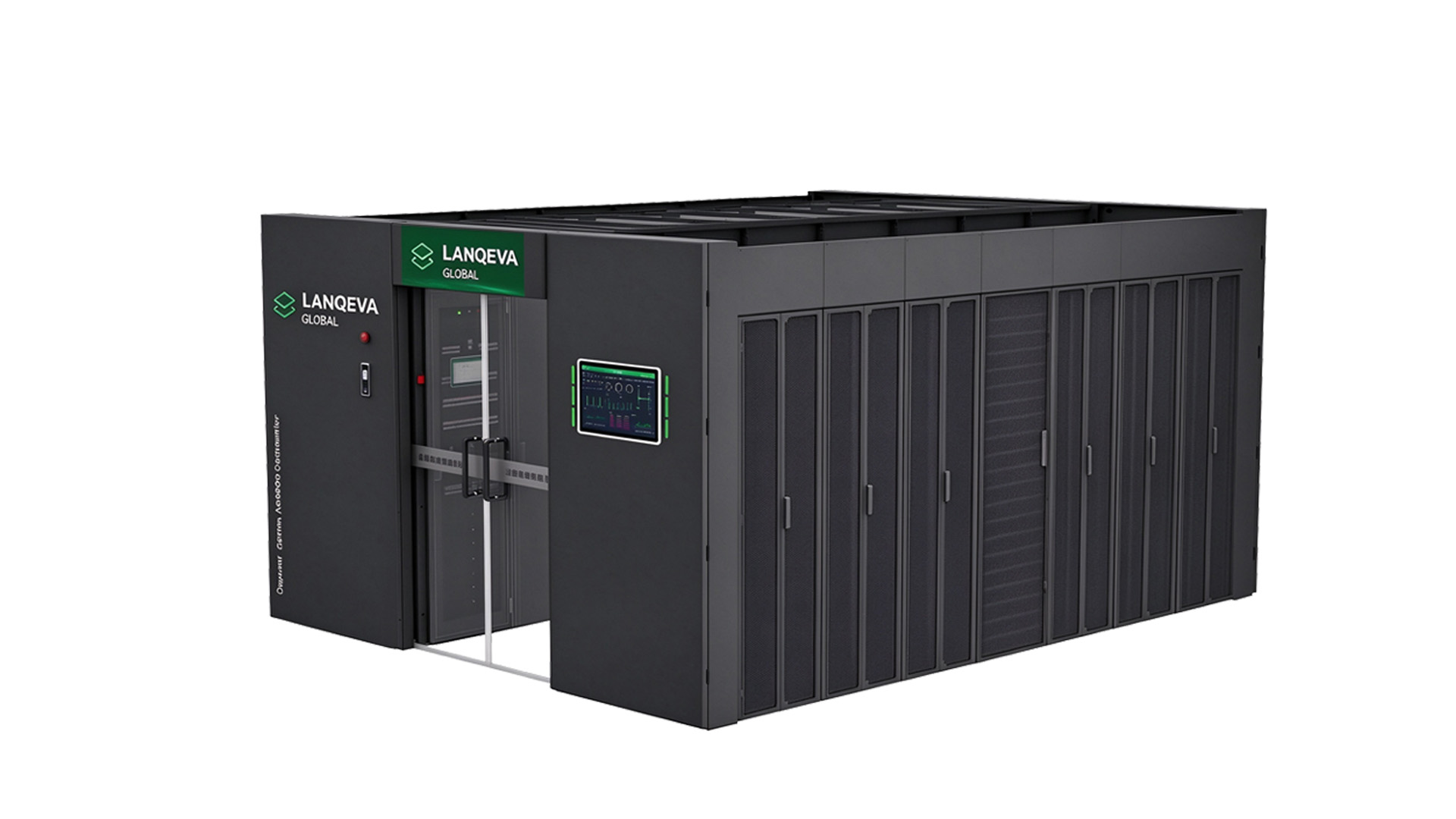
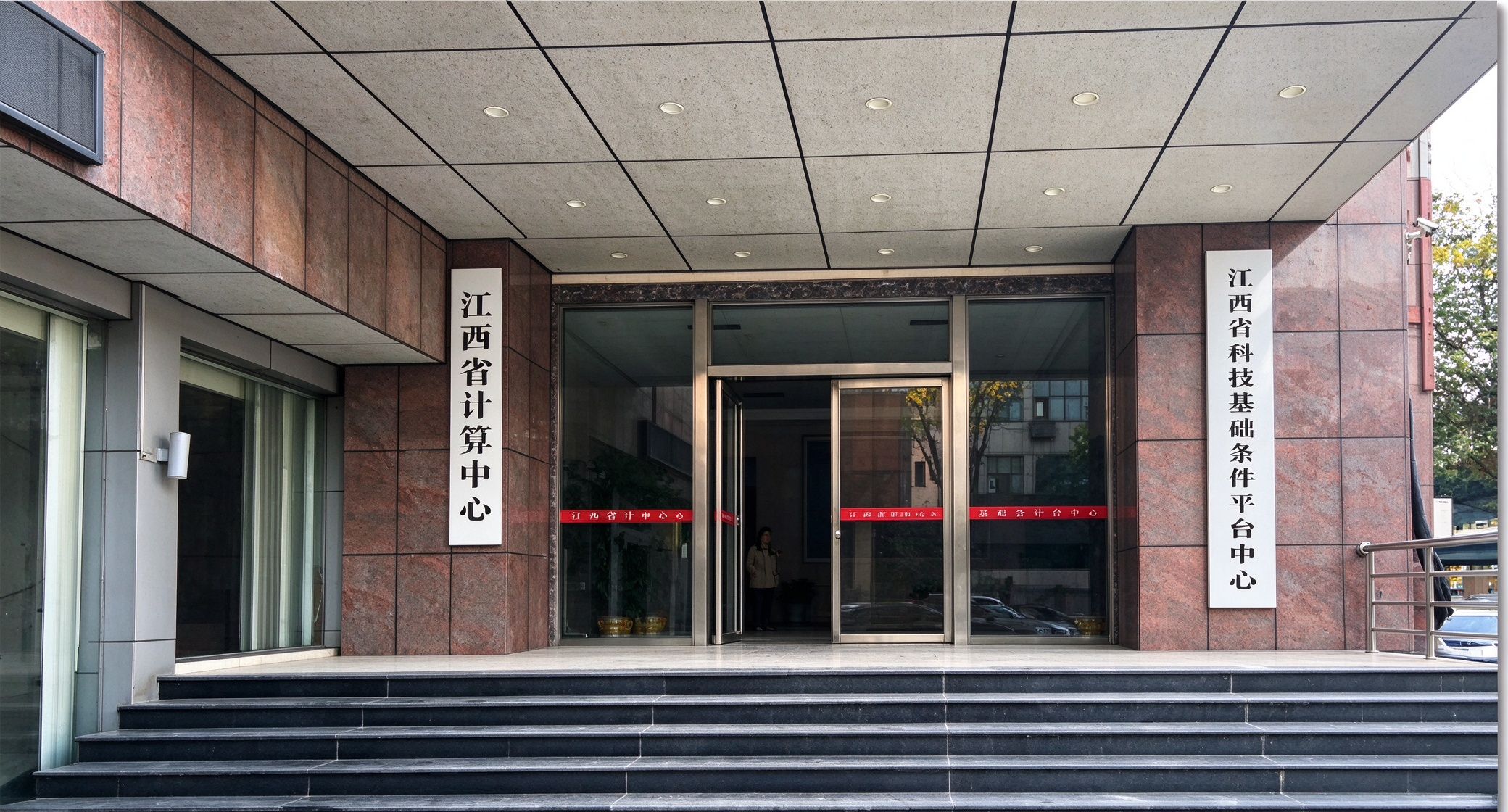
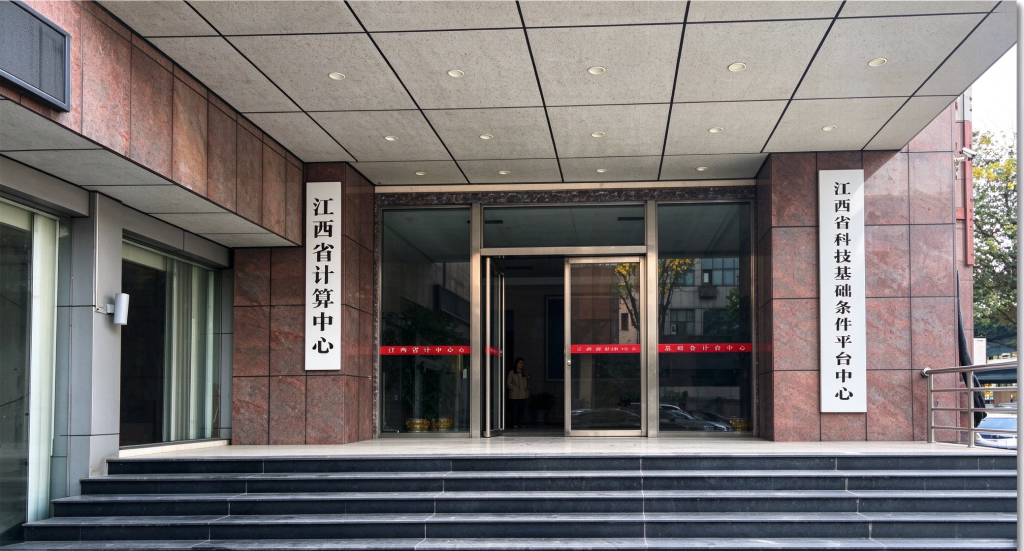
    Jiangxi Provincial Computing Center is a strategically significant supercomputing and digital foundation project in Jiangxi’s regional computing power layout. As the core carrier of the province’s high-performance computing, scientific research computing power, data storage and public digital services, this computing center relies on LANQEVA GLOBAL’s AC8000 micro-modular integrated solution to ensure the stable and reliable operation of supercomputing clusters, storage systems and computing power scheduling platforms.

    Jiangxi Provincial Computing Center is an important computing infrastructure project in Jiangxi Province.

    Project Requirements: Zero-Interruption Operation for the Supercomputing Computing Foundation

    As the core computing power gateway for scientific research innovation, industrial simulation and big data services in the province, Jiangxi Provincial Computing Center operates 7×24 hours without interruption. High-specification supercomputing centers place extremely high requirements on power supply and environmental protection for computing clusters, storage networks, cluster management systems and supporting monitoring facilities. The project required an integrated micro-modular data center solution that provides stable online power supply protection, elastic capacity expansion, supporting precision temperature control and support for large-scale computing loads.

    AC8000 Micro-Modular Data Center Solution

    AC300 Intelligent Modular UPS Power Supply

    • Highly reliable modular UPS
    • Supports hot-swapping of modules and online capacity expansion
    • High overall operating efficiency, adapted to the characteristics of computing loads
    • Compatible with multiple battery solutions to meet long backup power requirements

    MA100 Precision Air Conditioner for Large Computer Rooms

    • Row-level high-density cooling solution
    • Precise constant temperature and humidity, adapted to high-density server heat dissipation
    • Intelligent speed regulation, reducing computer room PUE
    • Adapted to closed cold aisle deployment, ensuring stable temperature control for computing equipment

    This integrated micro-modular architecture provides outstanding flexibility for the supercomputing center in operation and maintenance management, later computing capacity expansion and energy consumption optimization, ensuring that power and temperature control infrastructure can continuously expand and iterate along with computing services. The project deployed three sets of AC8000 micro-modular data centers, each equipped with 25 cabinets, totaling 75 cabinets. The entire system has completed installation and commissioning and passed acceptance inspection smoothly.

    Project Value: A Stable Computing Foundation Supporting Regional Digital Research

    The deployment of the AC8000 micro-modular data center at Jiangxi Provincial Computing Center demonstrates LANQEVA GLOBAL’s capability to serve major provincial-level computing infrastructure projects. Integrating highly reliable modular UPS power supply, precision refrigeration, integrated cabinets and intelligent monitoring, the micro-modular solution provides a stable, efficient and scalable computing infrastructure foundation for high-performance computing, scientific research simulation and digital industry innovation in Jiangxi.

    This project confirms the industry’s full trust in LANQEVA GLOBAL in key scenarios such as power supply continuity, elastic system expansion, long-term stable operation and maintenance, and green energy saving.

  • How to Size a UPS for a Data Center: A Practical Buyer’s Guide

    How to Size a UPS for a Data Center: A Practical Buyer’s Guide

    Power problems rarely announce themselves. In a data center, seconds of unstable utility power can take servers offline. Picking the right UPS (Uninterruptible Power Supply) matters more than a kW figure on a spec sheet.

    The aim is not the biggest unit, but one covering today’s real load, holding equipment until generators start, and leaving room to grow.

    Why Getting the UPS Size Right Matters

    Besides blackouts, a UPS damps sags, surges, and line disturbances that wear out sensitive IT gear.

    Wrong capacity cuts both ways: undersized units trip at peak load; oversized ones waste budget and efficiency.

    A well-sized UPS should:

    • Cover actual connected load, not just nameplate maximums.
    • Hold the load long enough for generator pickup or safe shutdown.
    • Absorb temporary load spikes before dropping offline.
    • Leave headroom for planned rack additions.
    • Stay efficient across its operating range.

    The goal is a system that matches how the facility actually runs.

    Step 1: Measure the Actual IT Load

    Start with the gear the UPS must protect, not brochures. Label wattage is a rough pass; real draw differs.

    Build a Critical-Equipment Inventory

    Walk the room and list every device that cannot tolerate an outage.

    • Rack-mounted servers and blade enclosures
    • Network switches, routers, and firewalls
    • Storage arrays and SAN/NAS systems
    • Security appliances and monitoring gear
    • Other essential IT infrastructure

    Leave out lighting, office outlets, and unrelated plant loads on separate feeders. Track cooling separately if it needs backup.

    Use Real Measured Consumption

    Nameplate ratings are a ceiling, not a typical point; summing maximums inflates the UPS requirement.

    Where available, pull actual draw from rack PDUs; the sample below shows the total.

    EquipmentQuantityPower per UnitTotal Load
    Servers20500 W10,000 W
    Network switches10150 W1,500 W
    Storage systems5600 W3,000 W
    Security equipment5100 W500 W
    Total  15,000 W

    This load lands near 15 kW, a baseline that must still cover peaks and growth.

    Step 2: Convert Load into Required UPS Capacity

    Once the load is known, translate it to vendor rating. kW and kVA are the two units people mix up most.

    • kW (real power): what the equipment actually draws.
    • kVA (apparent power): what the UPS must be able to supply.
    • Power factor (PF): the relationship between real and apparent power.

    Required kVA = Load in kW / Power Factor

    A Quick Capacity Example

    Take a 15 kW connected load with an output power factor of 0.9.

    15 / 0.9 = 16.67 kVA, so the unit must deliver at least 15 kW and 16.67 kVA.

    That is the minimum, not the figure to buy. Before choosing, weigh:

    • Future growth: servers or storage already on the roadmap.
    • Peak demand: load spikes during busy periods.
    • Operating margin: spare capacity so the UPS never runs flat out.
    • Compatibility: output ratings that fit the connected equipment.

    A 20-30% allowance above current load suits many projects; size it to the plan. 20 kVA is not 20 kW.

    Step 3: Plan Battery Runtime

    Capacity and runtime are separate: how much power the UPS feeds, and for how long.

    With standby generators, the battery bridges the gap to start-up and buys shutdown time.

    Typical Planning Ranges

    No runtime number fits every facility; the ranges below are rough planning placeholders.

    ApplicationTypical Planning Range
    Small server rooms5-15 minutes
    Small and medium data centers10-30 minutes
    Enterprise data centers10-30 minutes
    Facilities without standby generatorsExtended backup or shutdown requirements

    The right number depends on generator start time, load profile, and shutdown procedure.

    What Changes Battery Runtime

    • Connected load: the heavier the draw, the shorter the runtime.
    • Battery capacity: the stored energy available to deliver.
    • Battery age: capacity fades as the batteries cycle and age.
    • Temperature: heat speeds degradation and weakens output.
    • Discharge rate: usable capacity shifts with drain speed.

    Ah ratings alone mislead; they do not state runtime directly. Ask runtime curves for the exact model and bank.

    Step 4: Choose a Redundancy Configuration

    Total capacity alone is not enough; plan what happens when a module fails or needs service.

    N Configuration

    N supplies only required capacity: a 100 kW load gets a 100 kW system.

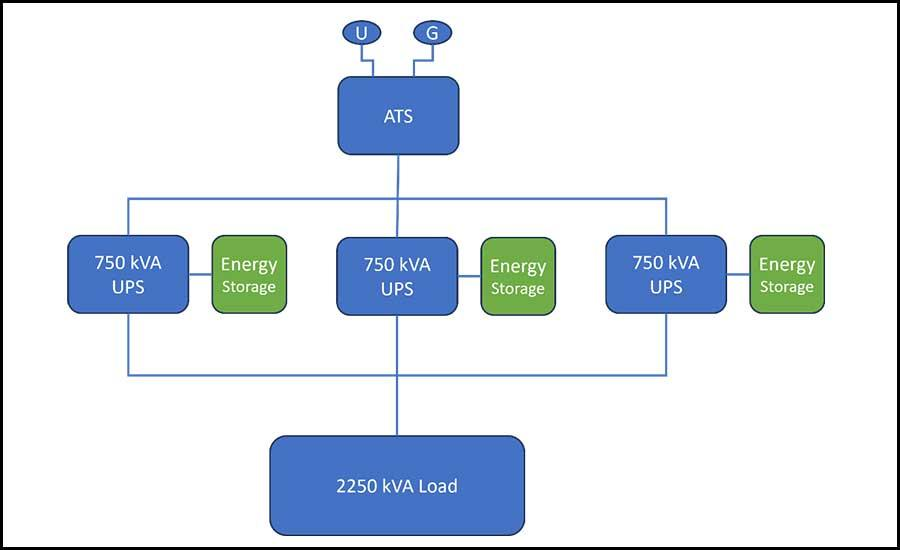
    Figure 1: Parallel N arrangement feeding a common critical load bus

    Cheapest and simplest, but no spare carries the load if it fails; it suits non-critical rooms.

    N+1 Configuration

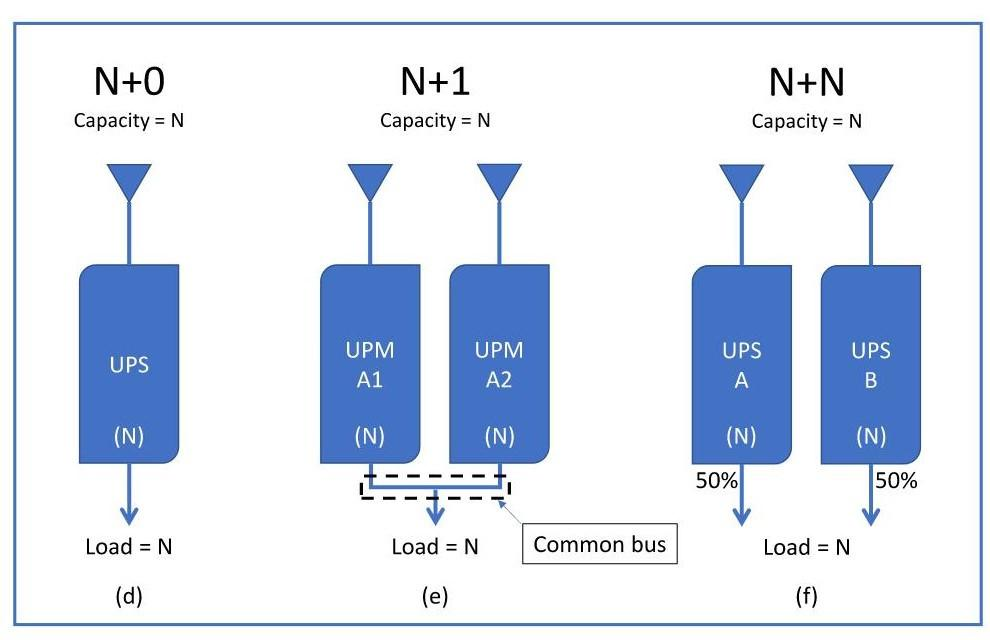
    N+1 adds one module beyond the minimum; with three carrying load, a fourth sits in reserve.

    Figure 2: N+0, N+1 and N+N redundancy arrangements compared

    It balances reliability against cost and fits these cases:

    • Protection against a single module failure.
    • Maintenance can run without interrupting the protected load.
    • Expected load growth over the next few years.

    After one module drops out, the rest must cover the full design load; that is true N+1.

    2N Configuration

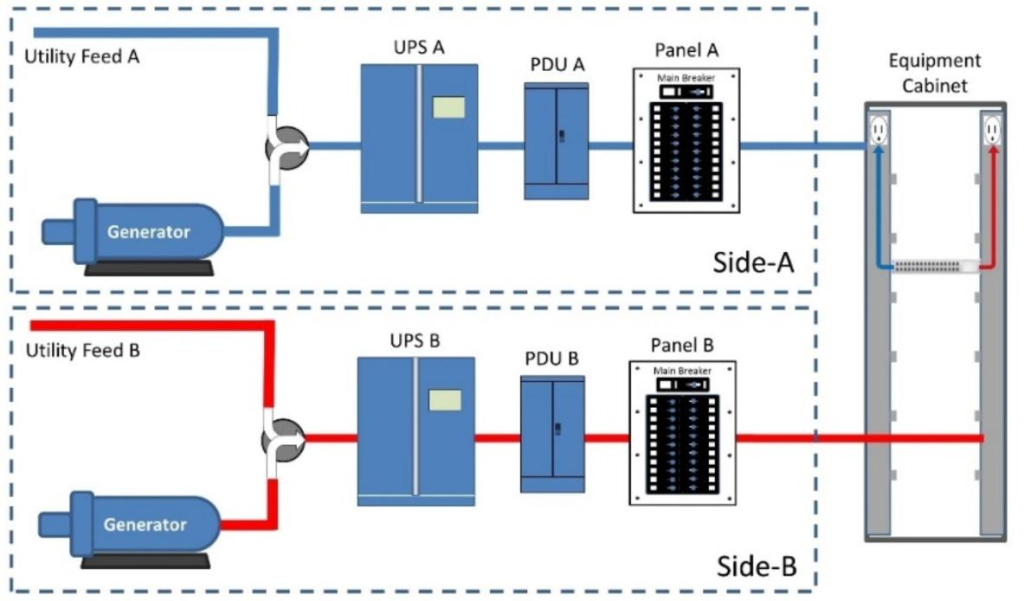
    2N uses two independent paths, each carrying the full critical load alone.

    Figure 3: 2N dual-path architecture with Side A and Side B feeds

    If one path fails, the other keeps equipment running with dual-feed distribution. The cost is doubled capacity, batteries, switchgear, and space.

    Even 2N leaves weak points; breakers and transfer paths still need a review.

    Step 5: Select the Right UPS Topology

    Topology sets output quality; online double-conversion suits critical rooms best.

    Online Double-Conversion UPS

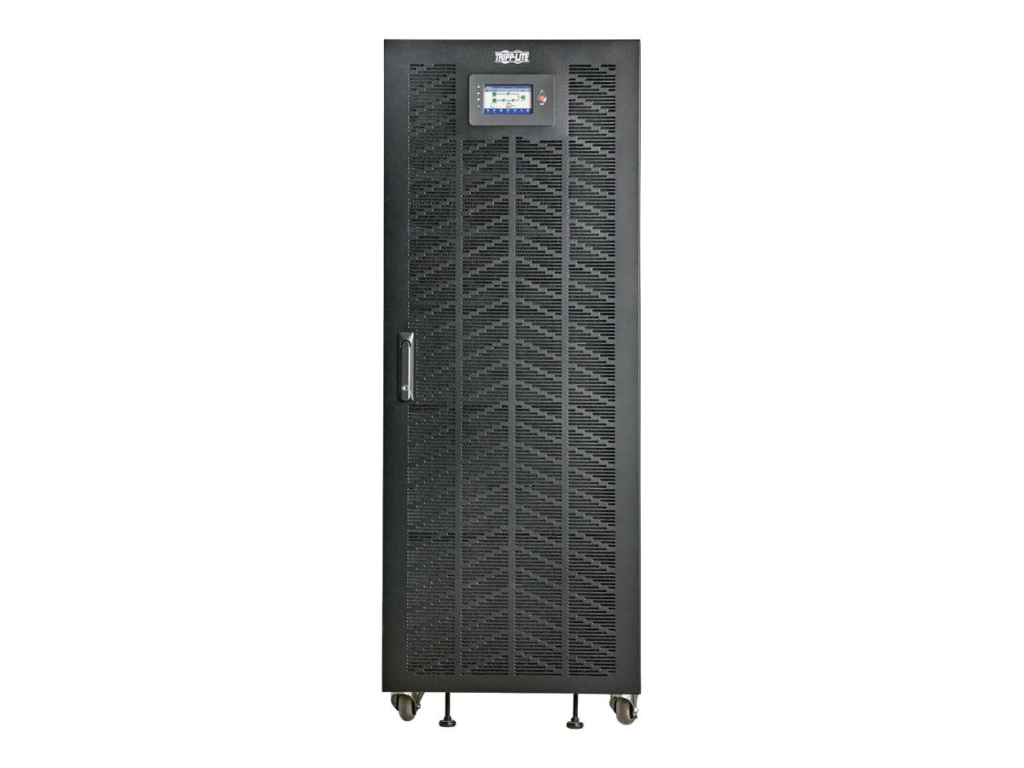
    Online double-conversion converts AC to DC, then back to regulated AC via the inverter.

    Figure 4: Floor-standing online double-conversion UPS cabinet

    The inverter carries load continuously, so battery switching has no gap. Strengths:

    • Rides through input sags and surges without a hitch.
    • Holds output voltage and frequency steady under changing load.
    • No interruption when utility power switches to battery.
    • A natural fit for sensitive servers and storage.

    Line-Interactive UPS

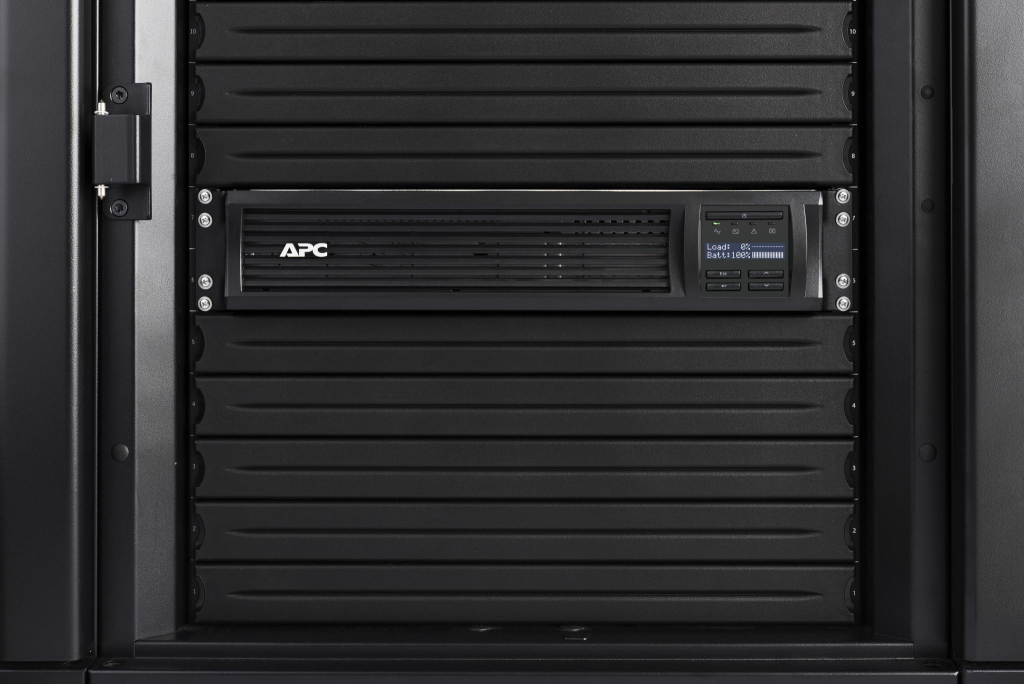
    Line-interactive units use voltage regulation to smooth mild fluctuations before touching the battery.

    Figure 5: Rack-mounted UPS installed inside a server cabinet

    Lower cost and light-load efficiency suit small closets; large rooms prefer double-conversion.

    Step 6: Plan for Growth and Efficiency

    A UPS chosen today may serve a larger IT estate in three years; plan growth.

    A Modular UPS for Growing Data Centers

    Modular systems add power modules as demand rises, avoiding a large upfront purchase.

    • Capacity tracks actual growth rather than a forecast.
    • Expand by adding modules, not replacing the frame.
    • A smaller upfront investment.
    • Module-level maintenance and swaps.

    Before choosing, confirm the expansion limit and whether future modules are compatible.

    Compare Efficiency at Real Loads

    Full-load efficiency figures can mislead; real performance often differs at 30-50% utilization.

    Ask for efficiency curves across load levels, then weigh the running costs below:

    • Steady-state power draw under normal load.
    • Heat released and the cooling load it adds.
    • Battery charging losses.
    • Service visits and spare-part costs.
    • Expected battery replacement interval.

    Over ten years, these items materially affect total cost of ownership.

    Step 7: Check Installation, Batteries and Monitoring

    A correctly sized UPS still fails if the room cannot support it. Check these before ordering.

    Physical space:

    • Cabinet footprint, weight, and floor loading.
    • Clear access for service and filter swaps.
    • Ventilation and ambient cooling headroom.

    Battery chemistry:

    • VRLA lead-acid: cheaper up front, proven, heat-sensitive.
    • Lithium-ion: longer life, higher density, higher price.

    Monitoring:

    • Live load and power-quality readings.
    • Battery health and remaining runtime estimates.
    • SNMP integration and alarm alerts.
    • Event history logs for troubleshooting.

    Worked Example: Sizing a 30 kW Data Center

    Worked case: 30 kW critical load, 25% growth, 0.9 power factor, 15-minute runtime, N+1.

    ParameterValue
    Current IT load30 kW
    Planned growth allowance25%
    UPS output power factor0.9
    Required battery runtime15 minutes
    RedundancyN+1

    Step 1 – Apply growth: 30 x 1.25 = 37.5 kW.

    Step 2 – Apparent power: 37.5 / 0.9 = 41.67 kVA; the system must cover at least 37.5 kW and 41.67 kVA.

    Step 3 – Lay out N+1 modules so 37.5 kW survives one outage. Step 4 – Size batteries for 15 minutes from discharge curves.

    This sets the selection direction; a final design still verifies ratings and fault protection.

    Pre-Purchase Checklist

    It is easy to over-weight headline kVA and price; run through this checklist:

    • Does the rated output cover the required kW and kVA?
    • Is there headroom reserved for future expansion?
    • Will the battery bank meet the target runtime?
    • Is the redundancy level (N, N+1, 2N) a good fit?
    • Is online double-conversion actually required here?
    • Are battery replacement and service costs reasonable?
    • Has efficiency been checked at the real operating load?
    • Is remote monitoring and SNMP support included?
    • Can the supplier handle delivery, install, and commissioning?
    • Are spare parts and local support easy to reach?

    Ask for datasheets, runtime curves, and references from similar installations.

    Final Thoughts

    Sizing a UPS for a data center means matching protection to real conditions. Start with an honest load measurement, then work through capacity, runtime, redundancy, topology, growth.

    Do not ignore installation and maintenance; they shape lifetime cost as much as price. Aim for a system serving today’s load with room to grow.

    Data Center Infrastructure | LANQEVA Global

  • Modular UPS Power Protection for an SMT Manufacturing Plant in Vietnam

    Modular UPS Power Protection for an SMT Manufacturing Plant in Vietnam

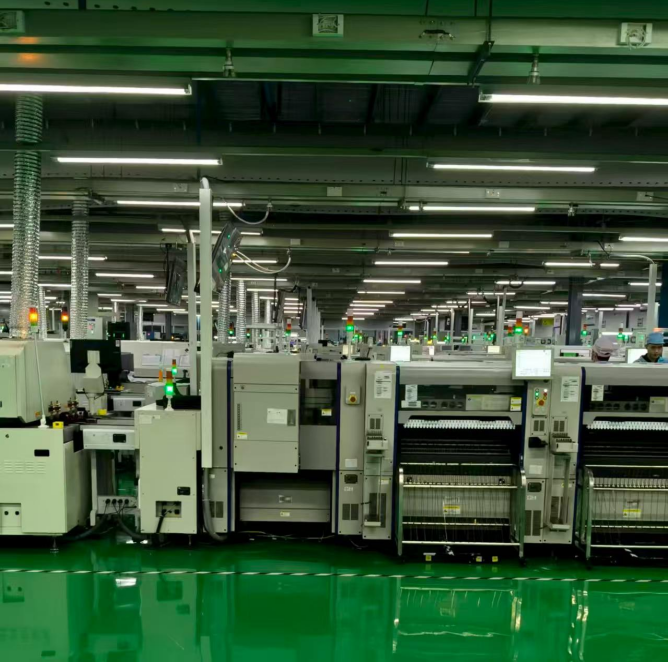
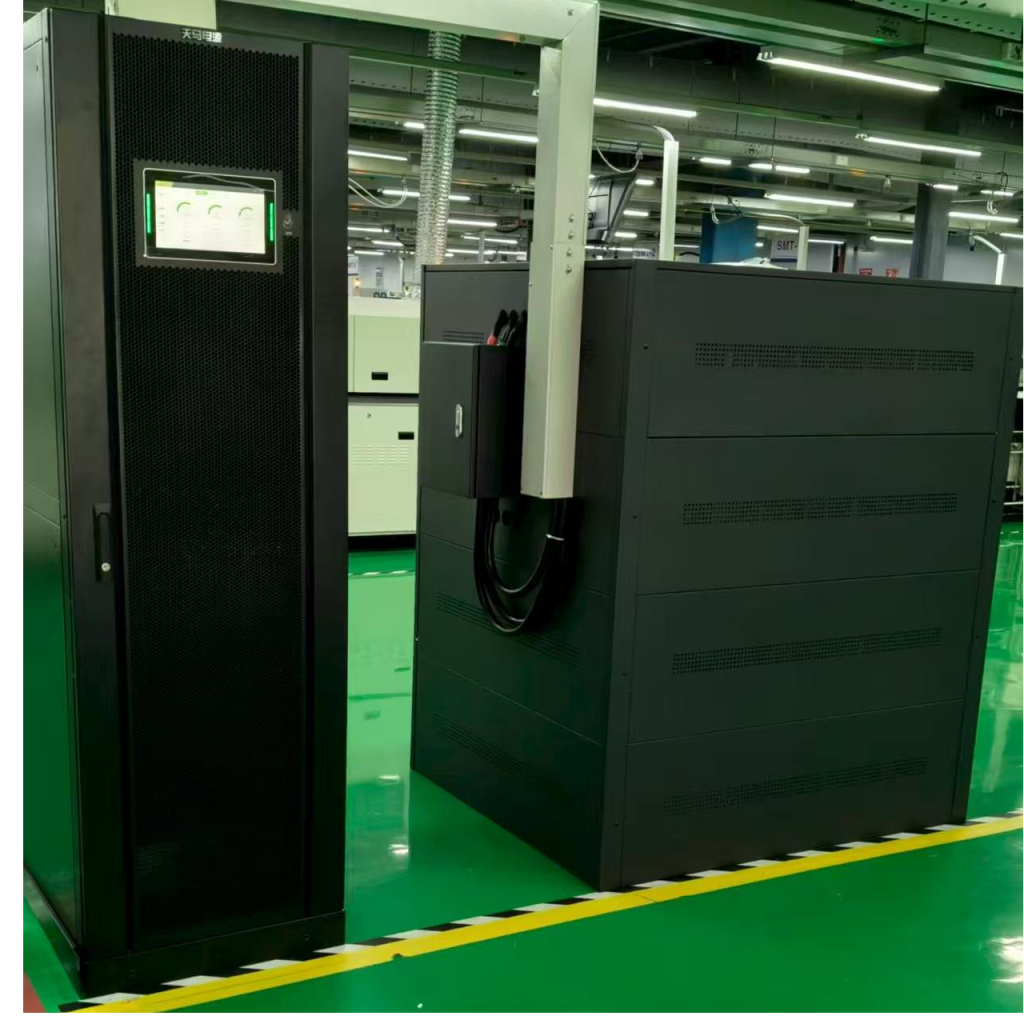
    A large SMT manufacturing plant in Vietnam required reliable power protection for the precision equipment at the heart of its production lines. LANQEVA deployed its ACM series modular UPS, model AC300/50, to support stable, continuous and efficient operation under demanding industrial conditions.

    Precision SMT production equipment at the Vietnamese plant. An ACM series AC300/50 modular UPS installed on site.

    Project Requirements

    SMT production relies on multiple automated machines operating in sequence. Power interruptions or unexpected outages affect production continuity and increase restart risks.

    Key Project Requirements

    Stable power protection for critical SMT equipment

    Continuous support during utility outages

    Clear visibility of system operating status

    Flexible configuration and simplified maintenance

    LANQEVA ACM Series UPS Solution

    The AC300/50 modular UPS provides regulated power protection for the facility’s critical SMT loads, helping reduce the impact of unstable utility supply on production.

    Its modular architecture supports flexible system configuration, service-friendly maintenance and intelligent monitoring for daily operation.

    Reliable Power Protection : Stable power support helps protect connected precision equipment.

    Modular and Service-Friendly: A flexible architecture supports efficient configuration and maintenance.

    Intelligent Monitoring: Visualisation of operating status supports efficient system monitoring.

    Project Value

    The deployed solution provides a reliable power protection platform for the precision equipment at the core of the production lines, helping the plant maintain continuous and efficient operation. The project demonstrates how LANQEVA digital energy technology supports the reliable power infrastructure required by global smart manufacturing.

    Products Used in This Project

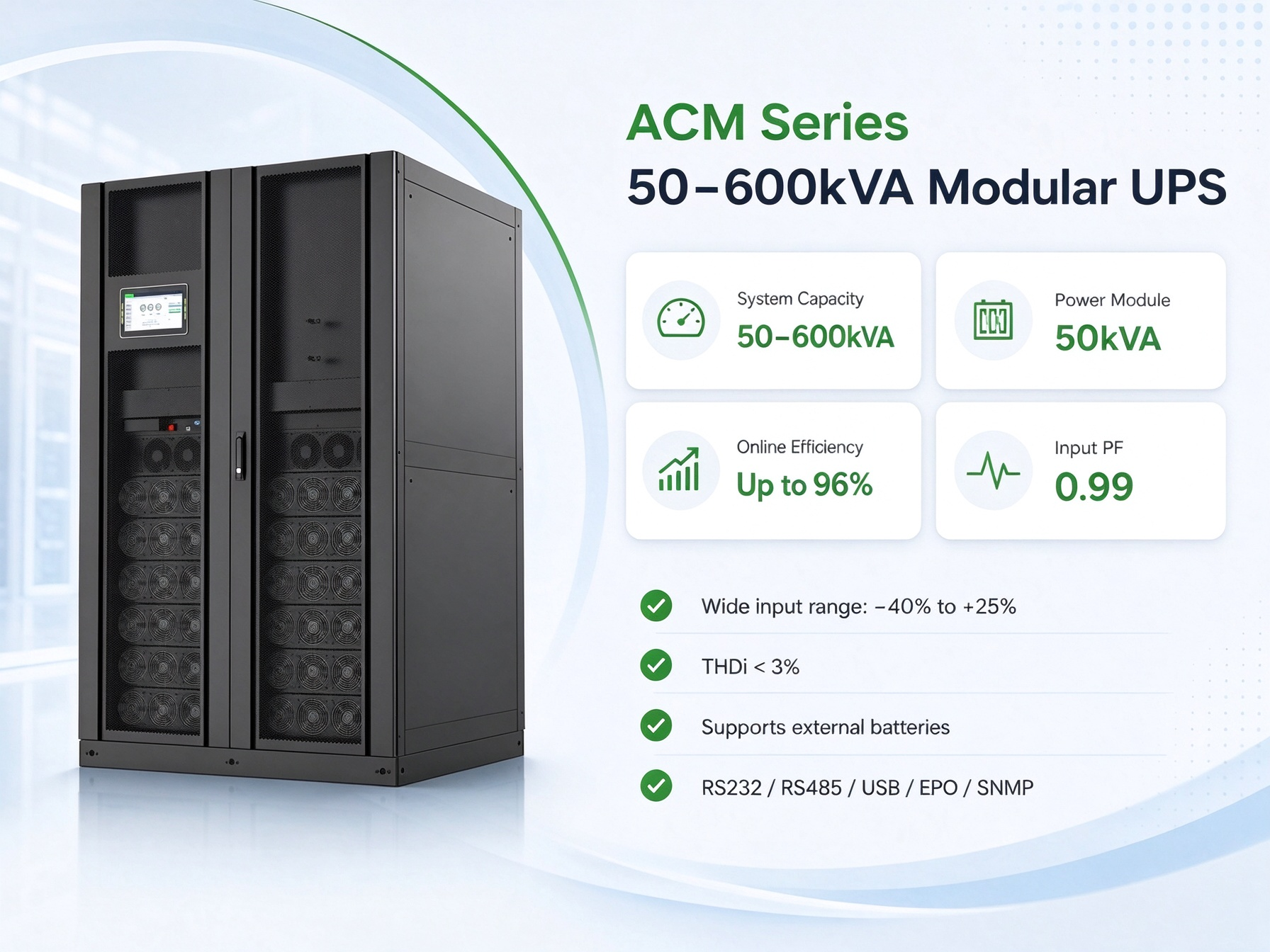
    The AC300/50 installed at this facility is part of LANQEVA’s ACM series of modular UPS. The series combines modular architecture, hot-swappable modules and intelligent monitoring for critical power applications.

    UPS Modes for Data Centers ACM series modular UPS · Project model: AC300/50
  • Industrial UPS Power Protection for a Southeast Asian Manufacturing Plant

    Industrial UPS Power Protection for a Southeast Asian Manufacturing Plant

    Manufacturing facilities in Southeast Asia need reliable power protection solutions to safeguard critical electrical equipment against utility disturbances and unexpected outages.

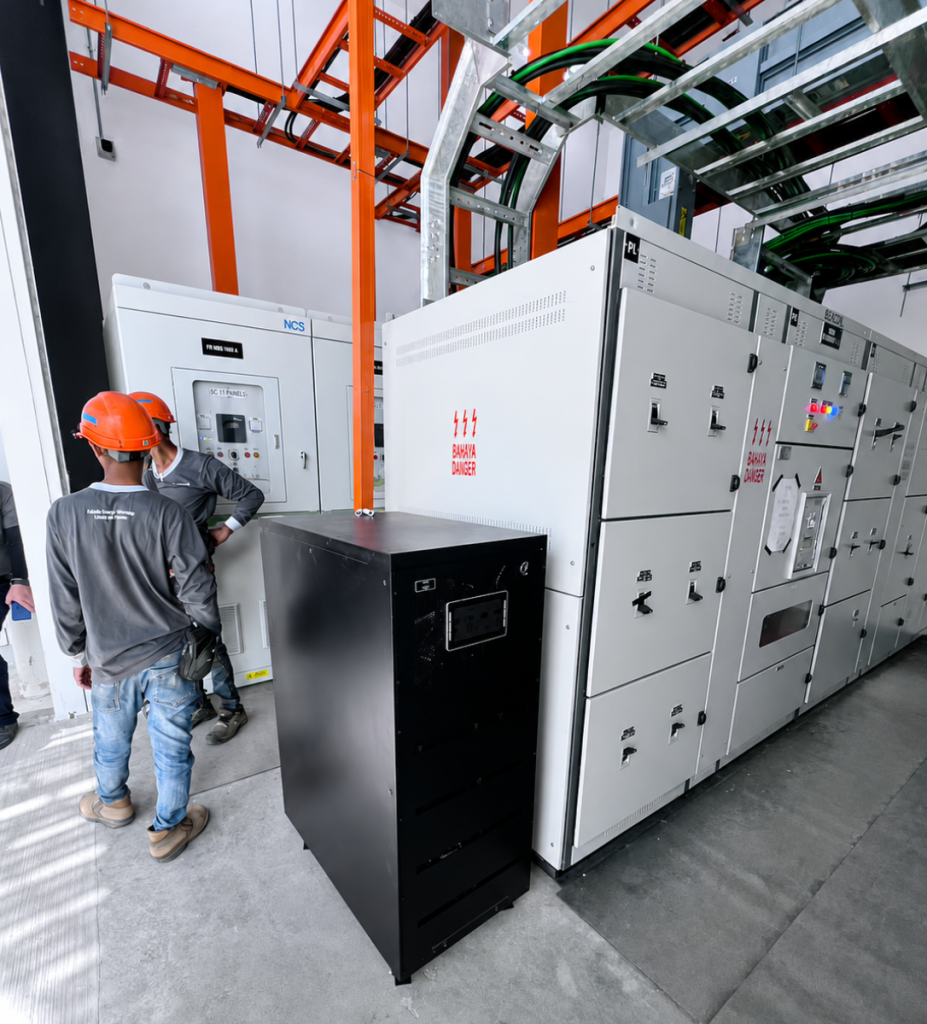
    LANQEVA selected a project-specific UPS and battery backup solution based on the facility’s electrical environment, connected loads, installation conditions and required backup time.

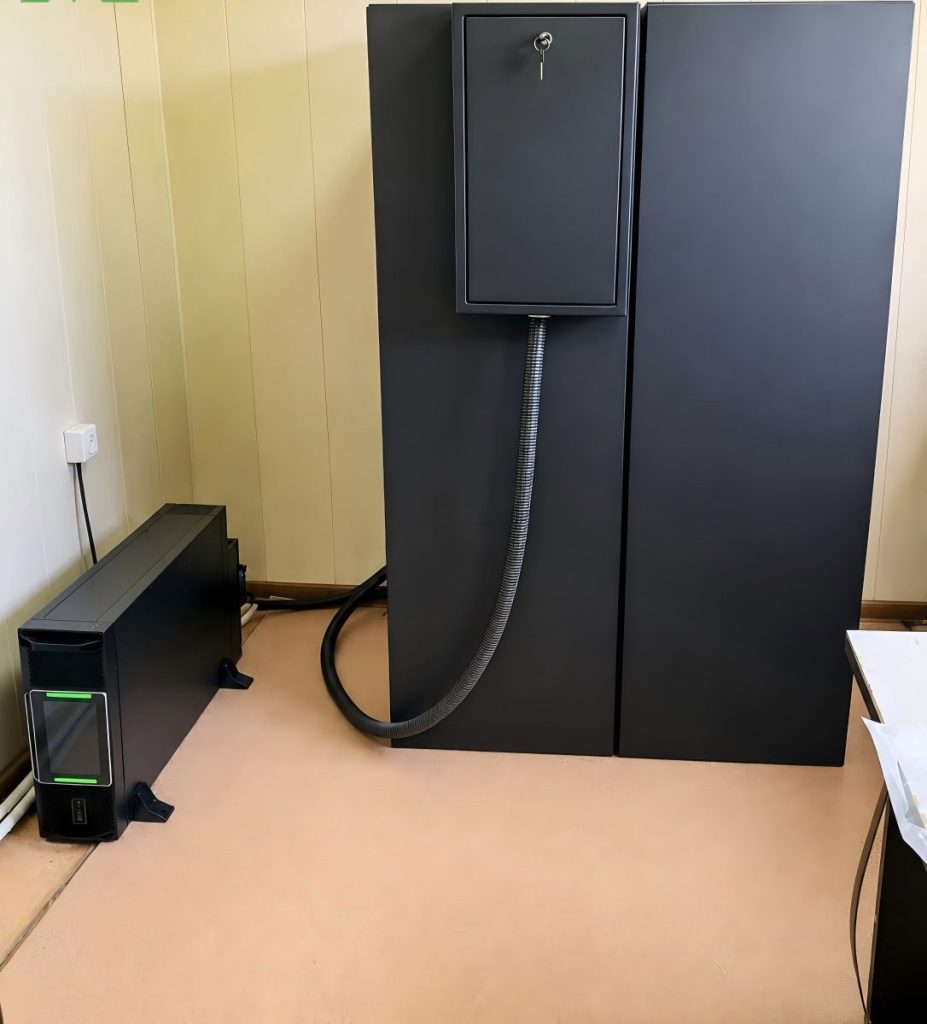
    IMG_258
    IMG_259

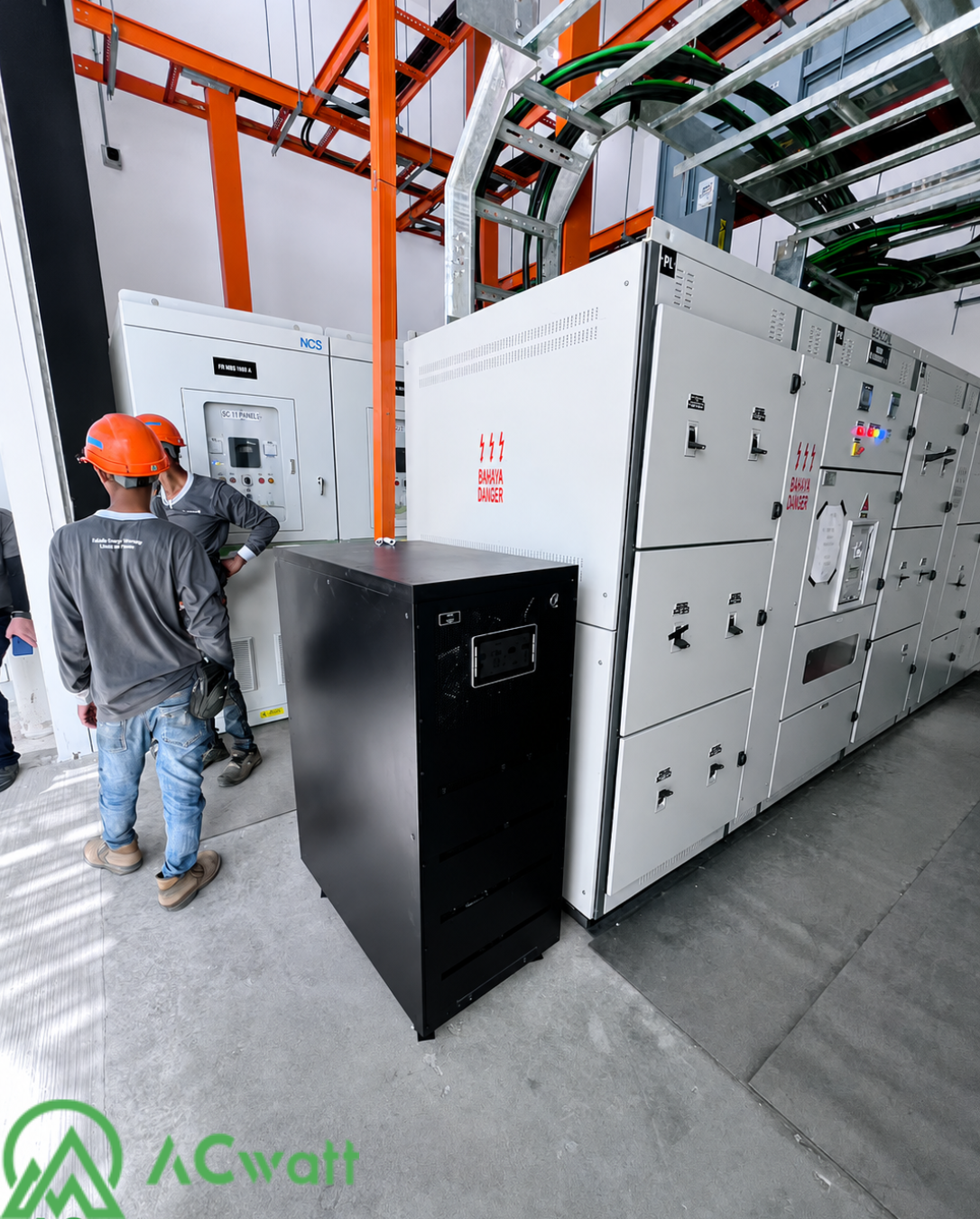
    Left: an UPS installed beside the facility’s power distribution equipment.

    Right: the UPS and external battery configuration supporting the facility’s backup power requirements.

    Project Requirements

    Manufacturing facilities rely on a stable power supply for production equipment, control systems, communication devices and other operational loads. Voltage fluctuations and unexpected outages can interrupt production, trigger equipment shutdown and increase restart risks.

    Key Project Requirements

    Stable power protection for critical plant equipment

    Battery backup during utility outages

    Clear visibility of system, load and battery status

    Practical integration with the existing electrical system

    UPS Solution

    The installed UPS system provides regulated backup power to connected critical loads. It helps reduce the impact of voltage disturbances, frequency variations and brief utility outages on plant operations.

    The solution also includes system monitoring and external battery support. Final UPS capacity, phase configuration and backup time were selected according to the customer’s operational and installation requirements.

    Reliable Power Protection

    Continuous power conditioning helps reduce the impact of unstable utility conditions on connected equipment.

    System Monitoring

    The operating interface provides visualisation of system status, load conditions, alarms and battery information.

    Flexible Battery Backup

    External battery capacity can be configured according to the connected load and the required backup time.

    Project Value

    The deployed solution provides the facility with a centralised power protection platform for critical equipment. Operators can monitor system status and maintain continuity during abnormal utility conditions with battery system support.

    By matching the UPS and battery configuration to the actual site requirements, the project supports more reliable manufacturing operations and reduces the risks posed by power instability.

  • Powering the New Huanggang Port: Modular UPS for Cross-Border Infrastructure

    Powering the New Huanggang Port: Modular UPS for Cross-Border Infrastructure

    Project · Transportation Infrastructure

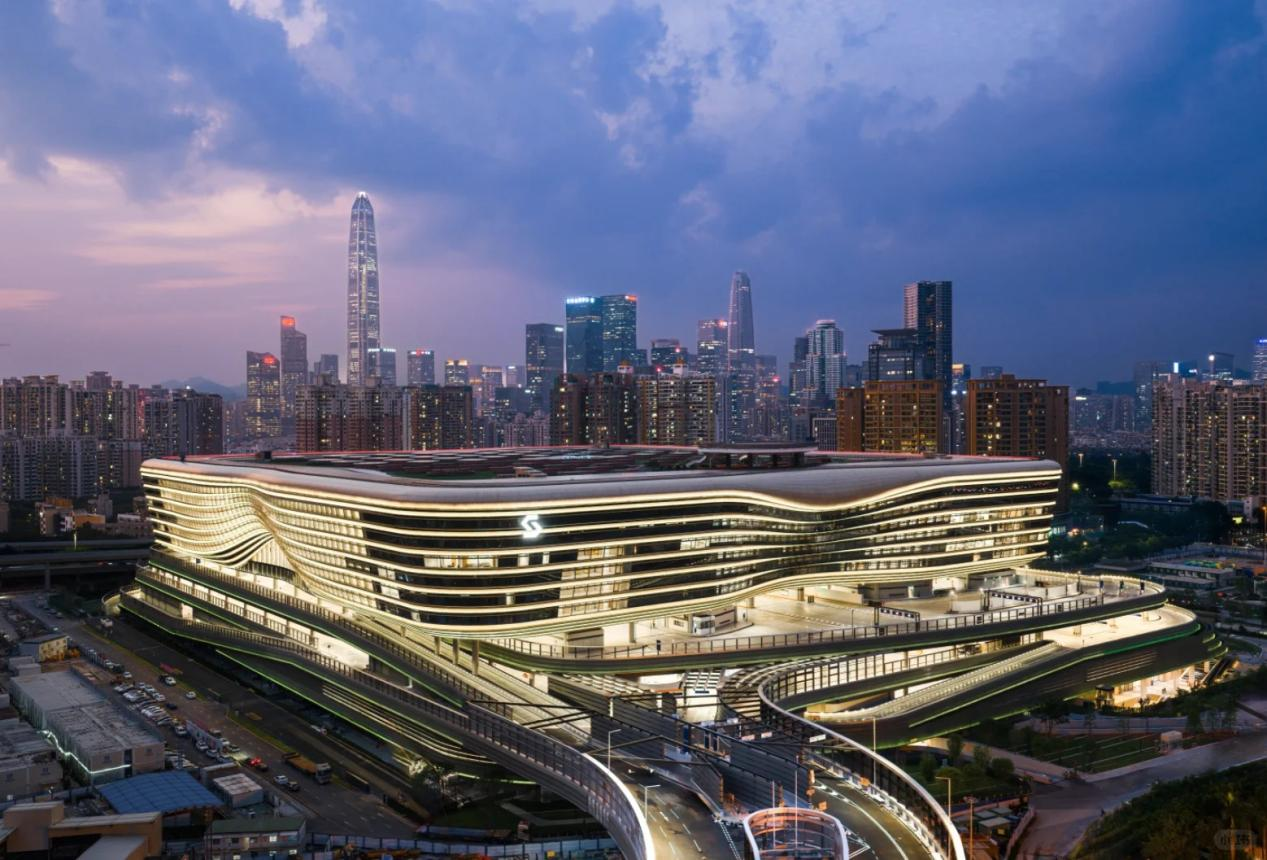
    The newly opened New Huanggang Port is a landmark transportation and connectivity project in the Greater Bay Area. As a 24/7 cross-border hub between Shenzhen and Hong Kong, this super-hub relies on LANQEVA modular UPS solutions to keep critical communications, security and facility systems running reliably.

    New Huanggang Port, a key cross-border transportation infrastructure project in the Greater Bay Area.

    Project Requirements: Zero Downtime for a Cross-Border Super-Hub

    As a major gateway for cross-border travel and trade, the New Huanggang Port operates around the clock. A transportation hub of this scale depends on uninterrupted power for communication networks, security surveillance, access control and critical facility infrastructure. The project required a power protection solution that delivers stable online protection, flexible capacity for future expansion, and reliable battery backup for a wide range of critical loads.

    AC Watt Modular UPS Solution

    100K Module Solution10-30K Module Solution

    • High-capacity modular UPS
    • 100 kVA / 100 kW power modules
    • Online efficiency up to 97%
    • Compatible with lead-acid and lithium batteries
    • High-density modular UPS
    • Flexible 3P/3P and 3P/1P configurations
    • Up to 30 kW per 2U module
    • Normal-mode efficiency up to 97%

    These modular architectures give the port exceptional flexibility for maintenance and future capacity planning, ensuring the power infrastructure can evolve with the hub’s expanding operations.

    Project Value: A Stable Power Foundation for Connected City Operations

    The deployment of these modular UPS solutions at the New Huanggang Port demonstrates LANQEVA’s capability to support major transportation and public infrastructure projects. By combining robust online power protection with service-friendly modular design, LANQEVA provides a stable power foundation for seamless connectivity between Shenzhen and Hong Kong.

    The project reflects the deep trust placed in LANQEVA for applications where power continuity, system flexibility and long-term reliability are essential.